Главная страница
Программный комплекс Универсальный механизм (UM) предназначен для
моделирования динамики и кинематики плоских и пространственных
механических систем.
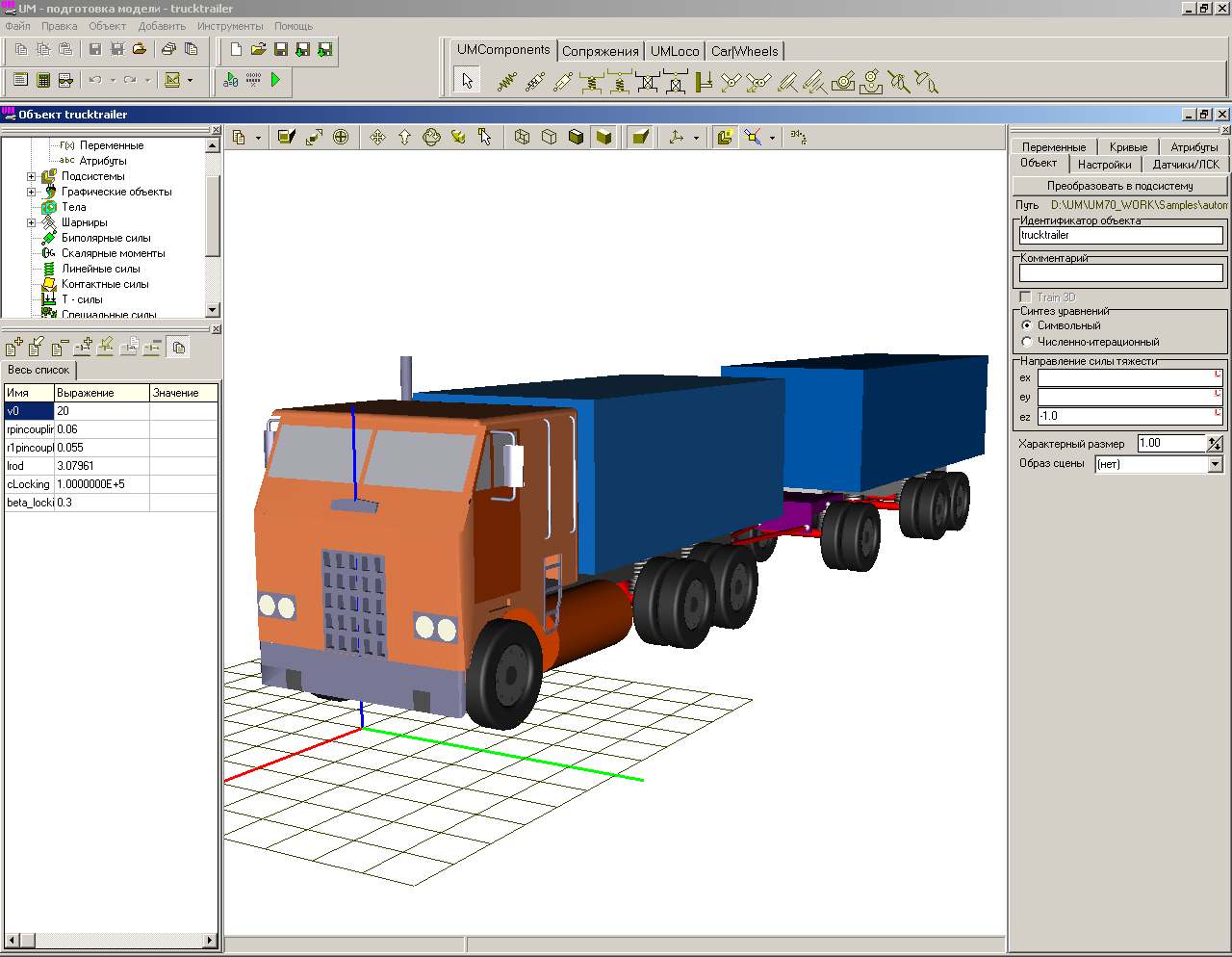
 Программа ориентирована на инженеров-практиков, студентов и преподавателей
вузов, всех, кто сталкивается с проблемами исследования динамического поведения
машин и механизмов. Механизмы описываются как системы твердых тел, шарниров
и силовых элементов.
Программа ориентирована на инженеров-практиков, студентов и преподавателей
вузов, всех, кто сталкивается с проблемами исследования динамического поведения
машин и механизмов. Механизмы описываются как системы твердых тел, шарниров
и силовых элементов.
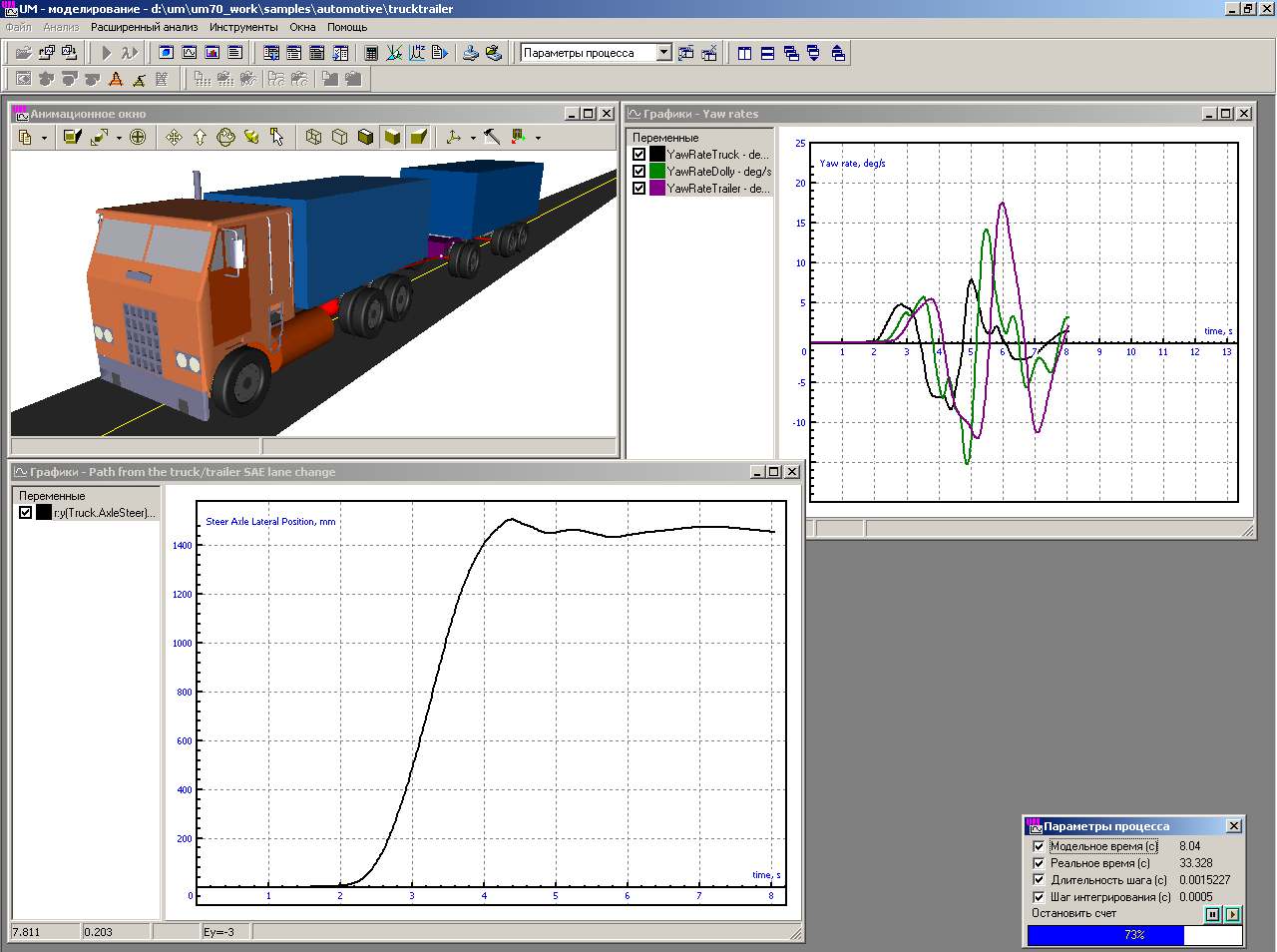
 Поддерживается непосредственная анимация движения вашей модели в процессе
расчета. Для анализа доступны практически все необходимые величины: координаты,
скорости, ускорения, силы реакций в шарнирах, усилия в пружинах и т.д.
Поддерживается непосредственная анимация движения вашей модели в процессе
расчета. Для анализа доступны практически все необходимые величины: координаты,
скорости, ускорения, силы реакций в шарнирах, усилия в пружинах и т.д.
Развитый постпроцессор:
линейный анализ, статистический
анализ,
многовариантные расчеты,
экспорт результатов. Это эффективный инструмент для моделирования
динамики различных машин и механизмов: космических конструкций, роботов
и манипуляторов, железнодорожных экипажей, автомобилей, кабелей и т.д.
Решение прямой и обратной задач кинематики и динамики.
UM включает в себя ядро и ряд
дополнительных модулей,
расширяющих функциональность ядра: автомобильный модуль (UM Automotive), железнодорожный модуль (UM Loco), модуль моделирования гусеничных машин (UM Tracked Vehicle), модуль импорта из CAD программ (UM CAD Interfaces), модуль моделирования упругих тел (UM FEM), модуль многовариантных расчетов и оптимизации
UM Experiments, модуль
связи с Matlab/Simulink
UM Control
и другие.
Для ознакомления скачайте UM 10 с бесплатной пробной лицензией на один
месяц
здесь.

Мы предлагаем различные варианты
приобретения или аренды программного обеспечения на базе UM, а также услуги по обучению и проведению исследований в области
моделирования динамики механических систем.
Студентам и научным сотрудникам предоставляются бесплатные
лицензии на время учебы или выполнения научных работ.
Использование UM для моделирования механических систем, особенности
програмного комплекса и его основных модулей, а также множество рисунков
и анимаций, которые помогут Вам составить первое впечатление о
программе, объектах исследования и принятых методиках, все это
представлено в презентации
Применение UM в решении задач общего машиностроения
(презентация PowerPoint, zip-архив, рус. яз., 123 Мб).

Тела
- Тела произвольной формы
- Автоматический расчет инерционных параметров и положения центра масс
Шарниры и связи
- Вращательный, поступательный, цилиндрический, Кардано,
обобщенный, кватернионный шарниры
- Связь в виде невесомого стержня
Силы
- Общие, биполярные, контактные, специальные и другие описанные
пользователем силы
Графические элементы
- Полиэдр, эллипс, параллелепипед, винтовая линия эллипсоид,
конус, параметрический, профильный
- Импорт ASC и 3DS файлов, КОМПАС, SolidWorks, Autodesk Inventor, Unigraphics
NX и Pro/ENGINEER
Измеряемые величины
- Угловые и линейные координаты, скорости, ускорения
- Активные силы и моменты
- Силы реакции
- Другие величины, определенные пользователем
Управление моделированием
- Запуск, пауза, продолжение, остановка моделирования в любое
время
- Контроль точности решения
Программирование модулей пользователя
Поддержка разработки модулей пользователя с использованием
компиляторов:
- MS Visual C++
- Borland C++ Builder
- Borland Delphi
- любые другие языки программирования, поддерживающие создание динамически
загружаемых библиотек (DLL)
Визуализация
- Анимация объектов
- Траектории точек
- Линейные и угловые скорости и ускорения в виде векторов
- Все измеряемые величины в виде графиков
Импорт
- 3DS файлы
- ASC файлы
- Детали и сборки из КОМПАС, SolidWorks, Autodesk Inventor, Unigraphics NX
и Pro/ENGINEER (графические образы, инерционные параметры тел, сопряжения),
подробнее
- Модели из Matlab/Simulink,
подробнее
Экспорт
- BMP файлы
- AVI файлы
- Анимированные GIF файлы
- Измеряемые величины в форматированный текстовый файл
- Таблицы и графики в MS Word и Excel
Рекомендуемые системные требования
- Microsoft Windows 7/8/10/11;
- CPU 3 ГГц (рекомендуется использовать многоядерные процессоры);
- 8 Гб оперативной памяти;
- 4 Гб свободного места на жёстком диске;
- при выборе видеокарты настоятельно рекомендуем остановиться на видеокартах
от NVIDIA - они демонстрируют наилучшую совместимость с графическим ядром
УМ.
 Русский
 English